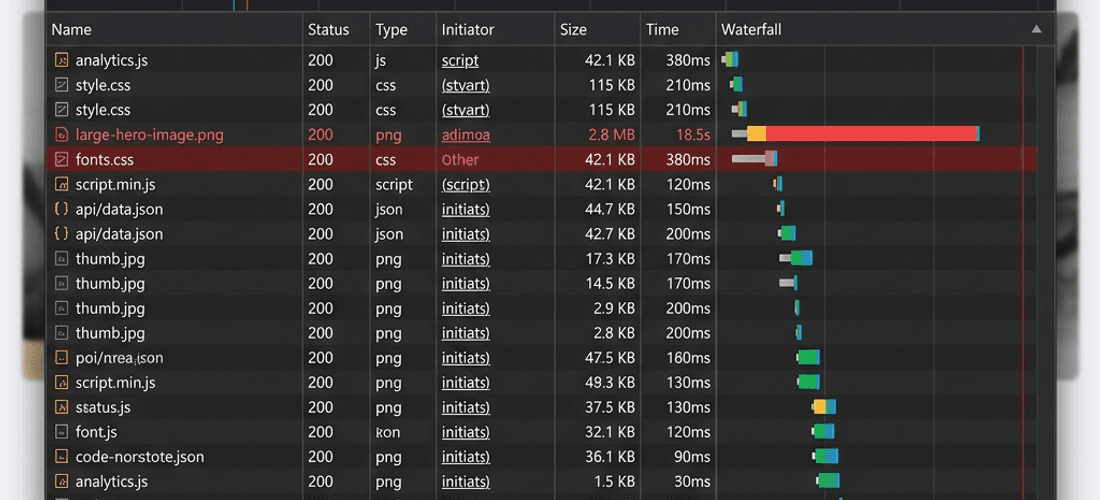
We've all been there. You load up your shiny new website, or perhaps a client's legacy portal, and it crawls. The loading spinner stutters, layout shifts push content around, and you can practically hear the server grinding its gears. Naturally, the first instinct is to point fingers at your hosting provider. "The server is just too slow," we tell ourselves.
But before you angrily upgrade to a more expensive tier or initiate a painful server migration, take a breath. Modern cloud hosting—even on budget tiers—is incredibly robust. More often than not, the culprit bottlenecking your application is sitting right inside your own codebase.
Here is a comprehensive, industry-grade 12-point checklist to audit your website's performance before you ever think about blaming your host.
1. Massive, Unoptimized Images
This is the most common offender on the web today. Uploading a 5MB raw image straight from a DSLR camera to act as a 300px thumbnail will absolutely destroy your page load speeds. Your server has to transmit all 5MB of data, and the user's device has to process it, only to shrink it visually.
Compress everything: Use modern formats like WebP or AVIF instead of JPEG/PNG.
Serve responsive sizes: Utilize the
srcsetattribute so mobile users don't download desktop-sized assets.Lazy loading: Add
loading="lazy"to images below the fold so they only load when the user scrolls near them.
2. Render-Blocking JavaScript and CSS
Browsers parse HTML from top to bottom. When they encounter a synchronous <script> or massive stylesheet in the <head>, they stop rendering the visual page entirely until those files are downloaded and executed. This creates a terrifying blank white screen for the user.
To fix this, defer non-critical scripts. For JavaScript, use the defer or async attributes:
<script src="analytics.js" defer></script>3. Lack of Browser Caching
If a user visits your site on Monday and comes back on Tuesday, they shouldn't have to re-download your logo, stylesheets, and fonts. If your server isn't instructing browsers to cache static assets, you are wasting immense bandwidth.
Check your Cache-Control headers. Static assets should generally have long expiry times (e.g., 1 year) and utilize cache-busting (file hashing) when they change.
4. Missing Content Delivery Network (CDN)
Physics matters. If your server is in New York, a user in Tokyo is going to experience latency just based on the distance data has to travel through fiber optic cables. A CDN caches your static files on edge servers distributed globally.
If you aren't using a CDN like Cloudflare, AWS CloudFront, or Vercel Edge, your host is doing too much heavy lifting and global users will suffer.
5. Database Query Inefficiencies (N+1 Problem)
If you're running a dynamic application, your bottleneck is almost always the database, not the web server. The infamous "N+1" query problem occurs when your code fetches a list of items, and then executes a separate query for each individual item's relationships.
Always check your ORM logs. If loading a single page fires 50 different database queries, you need to use eager loading or database joins to consolidate them.
6. Unnecessary Third-Party Scripts
Marketing tags, analytics trackers, A/B testing scripts, and live chat widgets are notoriously heavy. A web page might be 50KB of your own code, weighed down by 2MB of third-party tracking scripts.
Audit your Google Tag Manager. Remove trackers that the marketing team is no longer actively using, and ensure remaining scripts are loaded asynchronously.
7. Not Enabling GZIP or Brotli Compression
Text-based files (HTML, CSS, JS) compress incredibly well. If your server is sending these files uncompressed, you are sending 70-80% more data than necessary.
Ensure that GZIP or the more modern Brotli compression is enabled on your origin server or CDN level. This is a one-time configuration that provides immediate, massive gains.
8. Font Loading Strategies
Custom web fonts are heavy. If not handled correctly, they cause Flash of Invisible Text (FOIT) or Flash of Unstyled Text (FOUT), which feels jarring and slow to the user.
Preload your most critical fonts using
<link rel="preload">.Use
font-display: swap;in your CSS so the browser shows a fallback system font immediately while the custom font downloads.Self-host fonts rather than relying on third-party servers like Google Fonts to reduce DNS lookups.
9. Excessive DOM Size
Modern frontend frameworks (like React, Angular, or Vue) make it easy to nest components infinitely. However, a massive DOM tree forces the browser to consume a lot of memory and slows down layout calculations.
Lighthouse flags any page with over 1,500 DOM nodes. If your page is rendering thousands of hidden rows or complex nested divs, consider implementing virtualized lists (windowing) or simplifying your HTML structure.
10. Memory Leaks in the Client or Server
If your application feels fast on the first load but gradually slows down as the user interacts with it, you likely have a memory leak. This happens when event listeners are not cleaned up or stale data remains in memory.
On the server side (like Node.js), a memory leak will cause the server to eventually thrash and crash, making it look like a hosting issue when it's actually an application logic flaw.
11. Unoptimized Redirect Chains
Redirects (301 or 302) force the browser to make additional HTTP requests before any rendering can begin. If your user types example.com, which redirects to www.example.com, which then redirects to https://www.example.com, you have created a redirect chain.
Resolve these chains so that all traffic points directly to the final, canonical URL in a single hop.
12. Lack of a Caching Layer for Dynamic Content
If your homepage executes complex logic, calls external APIs, or queries a database for every single visitor, your server will eventually collapse under traffic.
Implement server-side caching. Tools like Redis can store the results of heavy database queries, or you can use Incremental Static Regeneration (ISR) / Static Site Generation (SSG) in frameworks like Next.js to serve pre-computed HTML pages directly.
The Verdict
Server specifications (RAM and CPU) certainly play a role in scaling, but throwing money at a bigger server to fix unoptimized code is like putting a bigger engine in a car with flat tires. Work through this checklist, optimize your application architecture, and you might find that your current host is more than capable of handling your traffic.